Smarter Findings: Duplicate Detection
When KAI's agents hunt for vulnerabilities, they sometimes discover the same issue through different attack paths. Before, you'd see five separate findings for what was essentially one vulnerability. Now, KAI groups them together.
How It Works
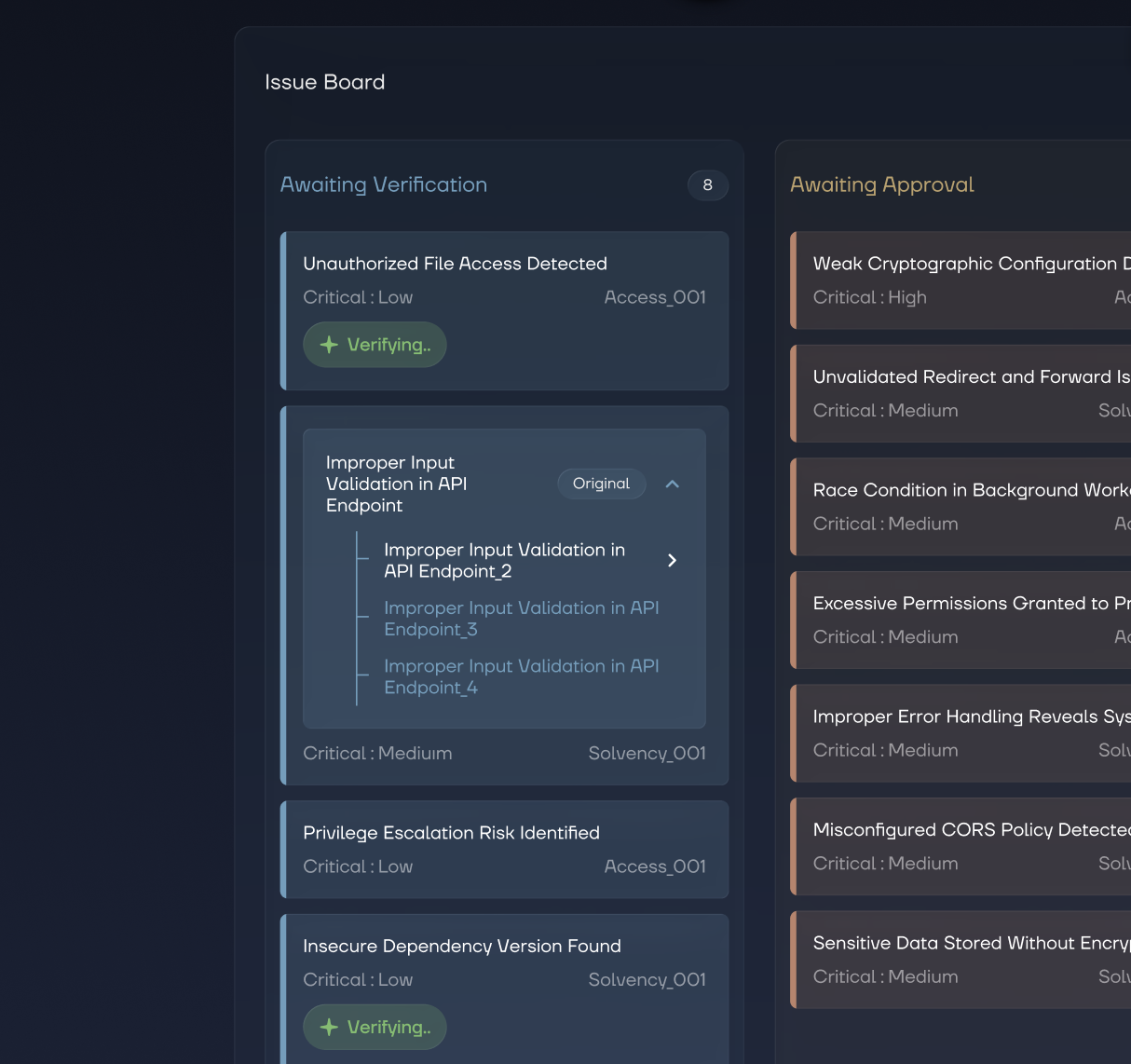
After discovering exploits, KAI runs a deduplication pass. Related findings are bundled under a single parent exploit - the one with the clearest description and highest severity becomes the representative.
In the dashboard, you'll see the primary finding front and center. Duplicates are collapsed below it in the exploit detail view. One vulnerability, one place to triage it.
Triage Faster
Status updates now apply to the entire group. Mark the parent as "Fixed" and you've addressed all variants at once. Update status via the dropdown in the exploit detail page or drag-and-drop in the kanban view - no more jumping between findings.