Kanban Workflow: Drag-and-Drop Triage
KAI's dashboard now features a kanban board for your findings. Drag exploits between columns to update their status. Move from "New" to "Investigating" to "Fixed" with a single gesture.
Two Ways to Update
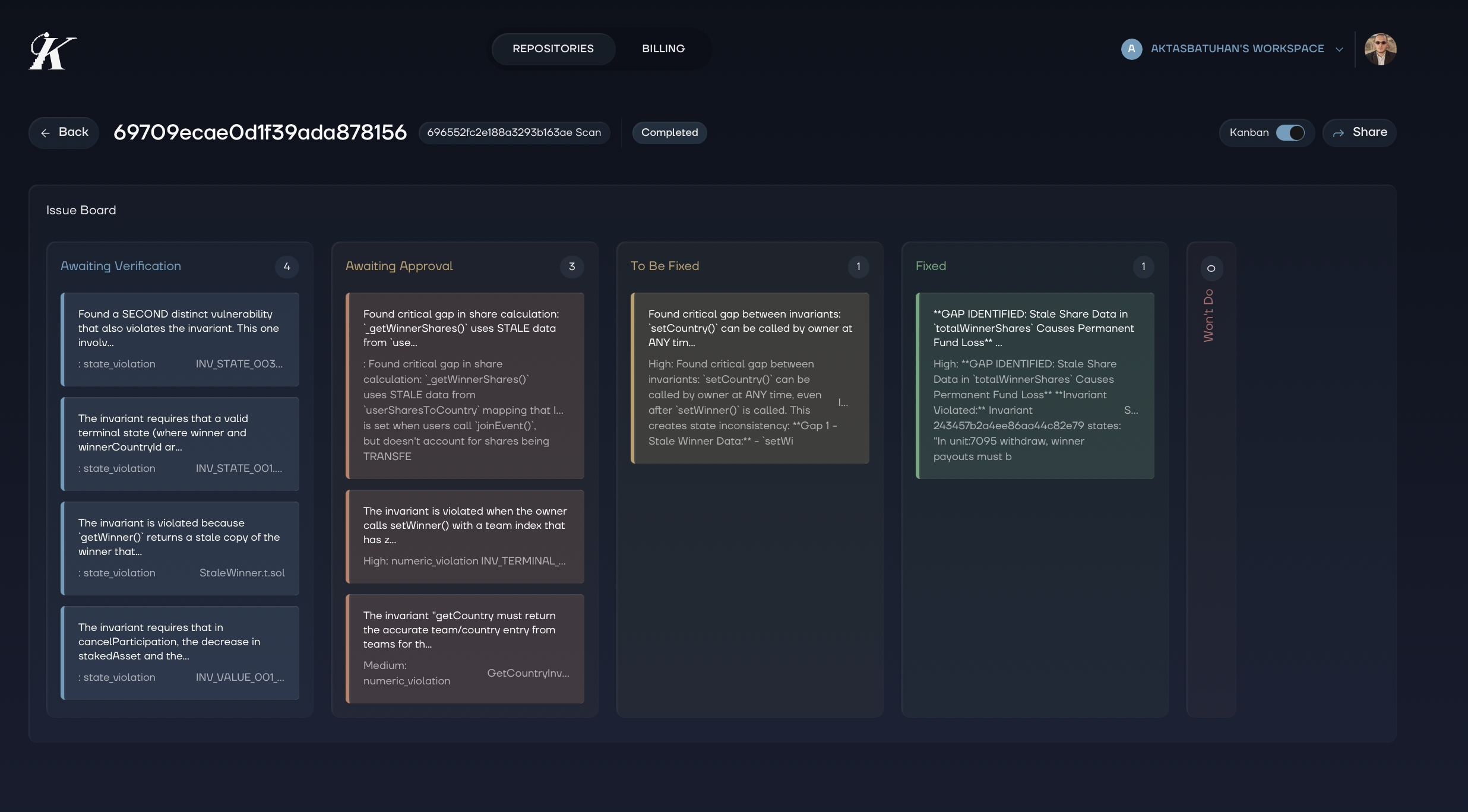 Kanban view: See all findings organized by status. Drag and drop to move them through your workflow.
Detail view: Open any exploit and use the status dropdown. Change status without leaving the context of your investigation.
Both methods sync instantly. Update in the web dashboard, see it in VS Code. Update in VS Code, see it on the web.
Your Workflow, Your Way
Every security team works differently. Some triage in batches during morning standups. Others investigate findings as they come in. KAI adapts to both - the kanban gives you the bird's eye view, the detail drawer gives you depth.
Combined with duplicate bundling, you can now triage entire clusters of related findings at once. Mark the parent as resolved and all duplicates follow.