Live Agent Feed: Watch KAI Act
KAI's execution view now shows a real-time activity feed. While a scan runs, you can see which agents are active, what they're analyzing, and what they've found so far.
What You'll See
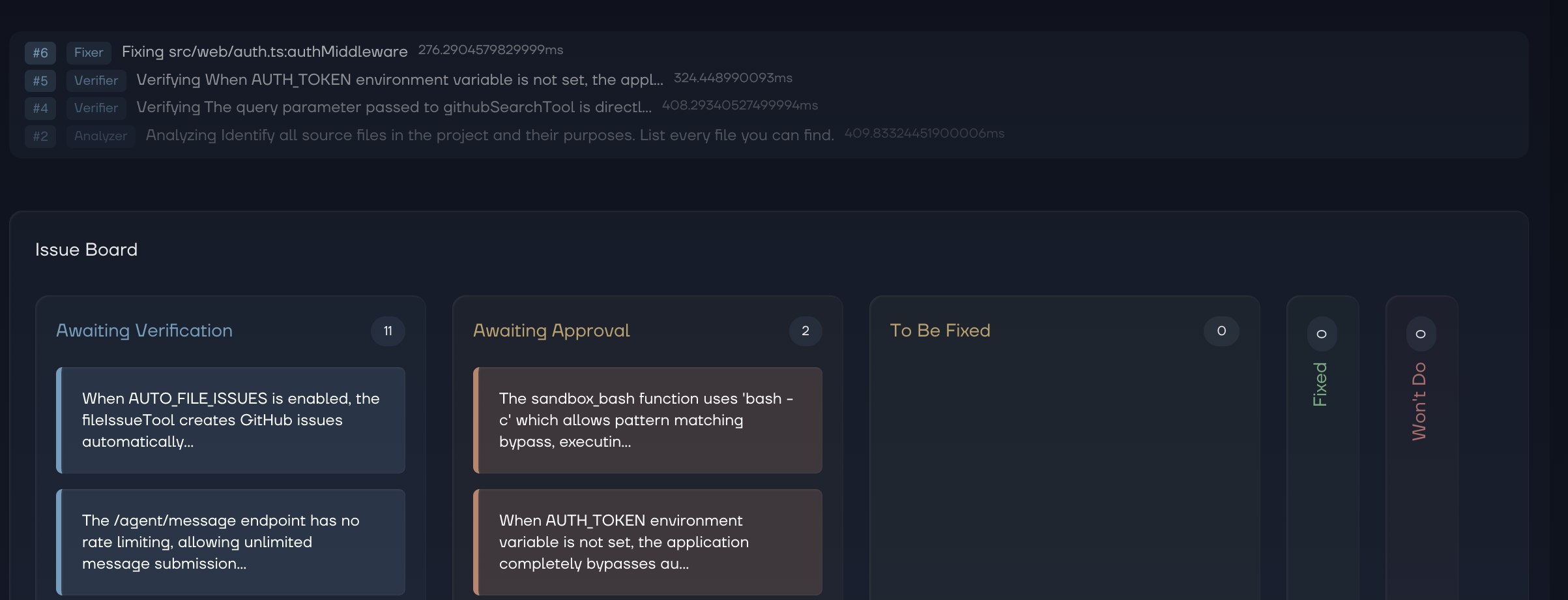
Each update in the feed shows the agent name and a description of what it's currently doing. Spawn an exploit-hunting agent? You'll see it appear with its target and reasoning. The feed updates live as the execution progresses.
Updates without meaningful agent activity are filtered out, so the feed stays clean and relevant. No noise, just signal.
Where to Find It
The activity feed lives on the repository detail page, right below the header. It's visible whenever an execution is running. Once the scan completes, the feed shows the final state of all agent activity from that run.
Why It Matters
Security scans aren't instant. On large repositories, they can take minutes. Instead of staring at a progress bar, the agent feed gives you a window into KAI's reasoning. You can see which files are being analyzed, which attack vectors are being explored, and whether findings are emerging, all before the scan finishes.