Full Control: Import, Scan, and Manage Repos
You can now manage the entire repository lifecycle from the KAI dashboard. Import repos from GitHub, kick off scans with configurable depth, and clean up repos and accounts when you're done.
Import GitHub Repos
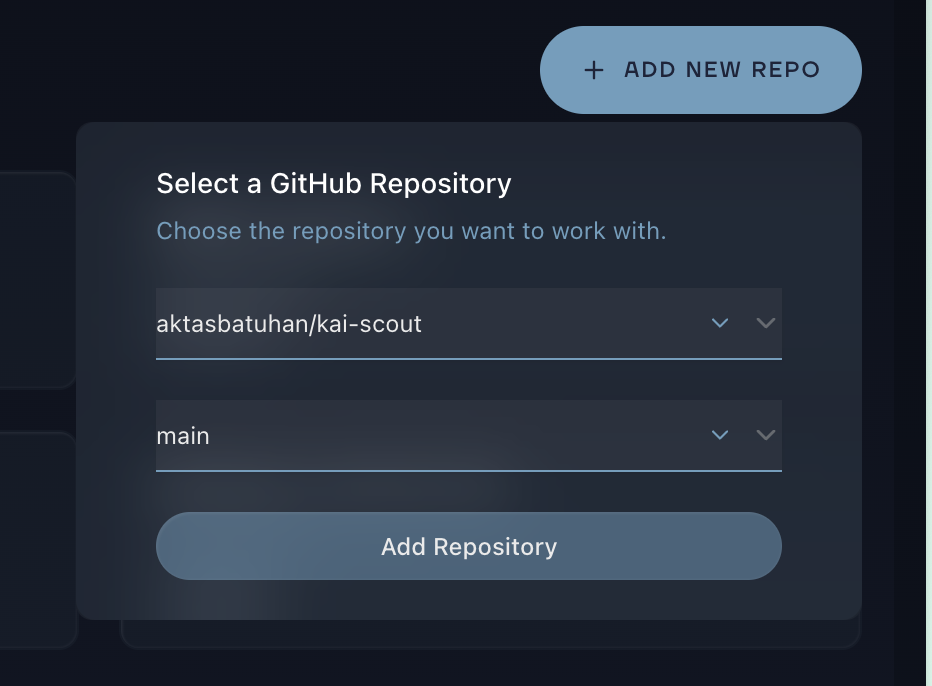
Click "Add Repo" from the repositories page or the empty state. A popover shows all repos available through your connected GitHub App. Select a repo, pick a branch, and import. The repository appears in your workspace immediately.
Choose Your Scan Depth
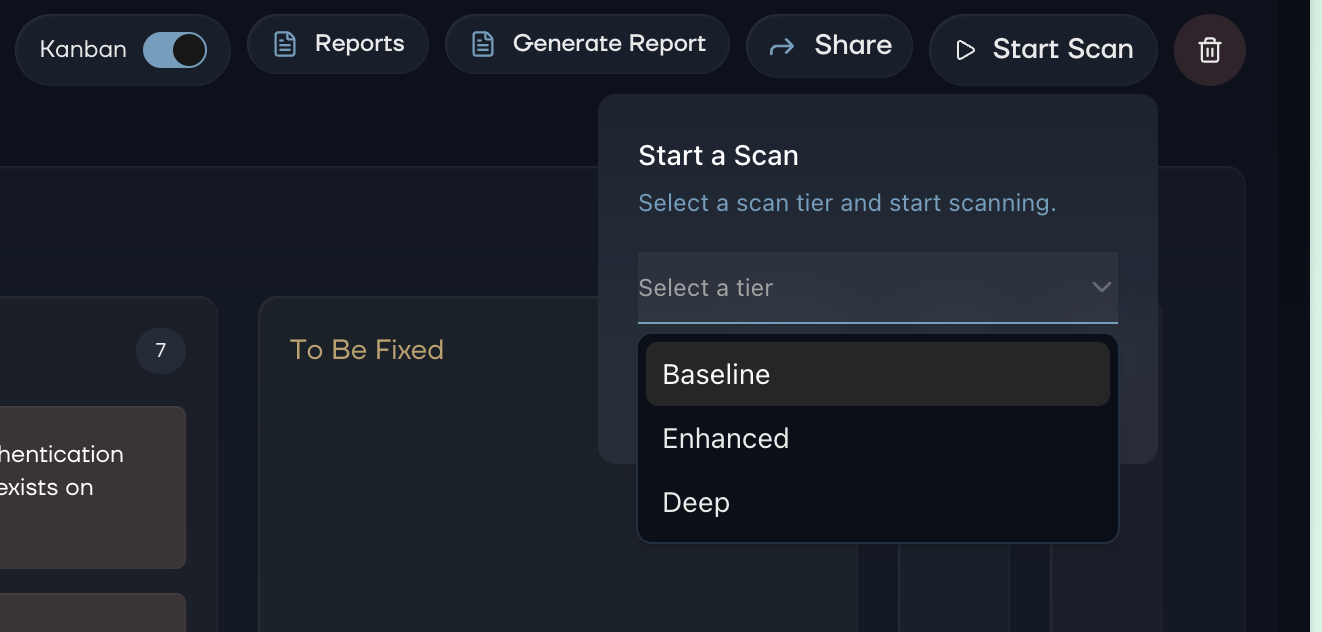
Hit "Start Scan" on any repository page to choose between three tiers:
- Baseline - Fast surface-level scan for common vulnerabilities
- Enhanced - Deeper analysis with more attack vectors
- Deep - Full autonomous agent sweep, maximum coverage
Pick the depth that matches your needs. Quick check before a release? Baseline. Full audit? Deep.
Delete Repos and Accounts
Need to clean up? A trash icon on the repository page lets you remove repos with a confirmation step. For account management, the "Delete Account" option is now available from the user avatar dropdown. It shows your account details and requires explicit confirmation before proceeding.
No hidden settings pages. Everything is where you'd expect it.