
Managing Vulnerabilities
Learn how to use Kai’s Kanban-style vulnerability management system to track, organize, and resolve security findings efficiently.The Vulnerability Workflow
Kai provides a visual Kanban board to help you manage vulnerabilities from discovery through resolution. This workflow ensures nothing falls through the cracks and provides clear visibility into your security progress.The Five Workflow States
Every vulnerability moves through these states as you work on it:- 🔍 Awaiting Verification - Potential vulnerabilities being analyzed by Kai
- ⏳ Awaiting Approval - Verified vulnerabilities waiting for your review
- 🔧 To Be Fixed - Approved vulnerabilities ready for remediation
- ✅ Fixed - Resolved vulnerabilities with applied fixes
- ❌ Won’t Do - Vulnerabilities you’ve decided not to address
Understanding Each Column
🔍 Awaiting Verification
Purpose: Vulnerabilities that Kai is still analyzing and attempting to verify What you see here:- Potential security issues found during code analysis
- Findings currently being tested with exploit code
- Vulnerabilities waiting for proof-of-concept validation
⏳ Awaiting Approval
Purpose: Verified vulnerabilities that need your review and decision What you see here:- Confirmed vulnerabilities with working exploit code
- All severity levels from Critical to Low
- Complete vulnerability reports ready for review
🔧 To Be Fixed
Purpose: Vulnerabilities you’ve committed to addressing What you see here:- Approved vulnerabilities awaiting developer attention
- Mix of severities based on your prioritization
- Suggested fixes and remediation guidance
✅ Fixed
Purpose: Vulnerabilities you’ve successfully resolved What you see here:- Resolved security issues with applied fixes
- Historical record of your security improvements
- Proof of progress for compliance or reporting
❌ Won’t Do
Purpose: Vulnerabilities you’ve decided not to fix What you see here:- Accepted risks based on business decisions
- Issues you’ve determined aren’t relevant to your specific context
- Low-priority items you’re deferring indefinitely
Working with the Kanban Board
Simply drag vulnerability cards between columns to change their status.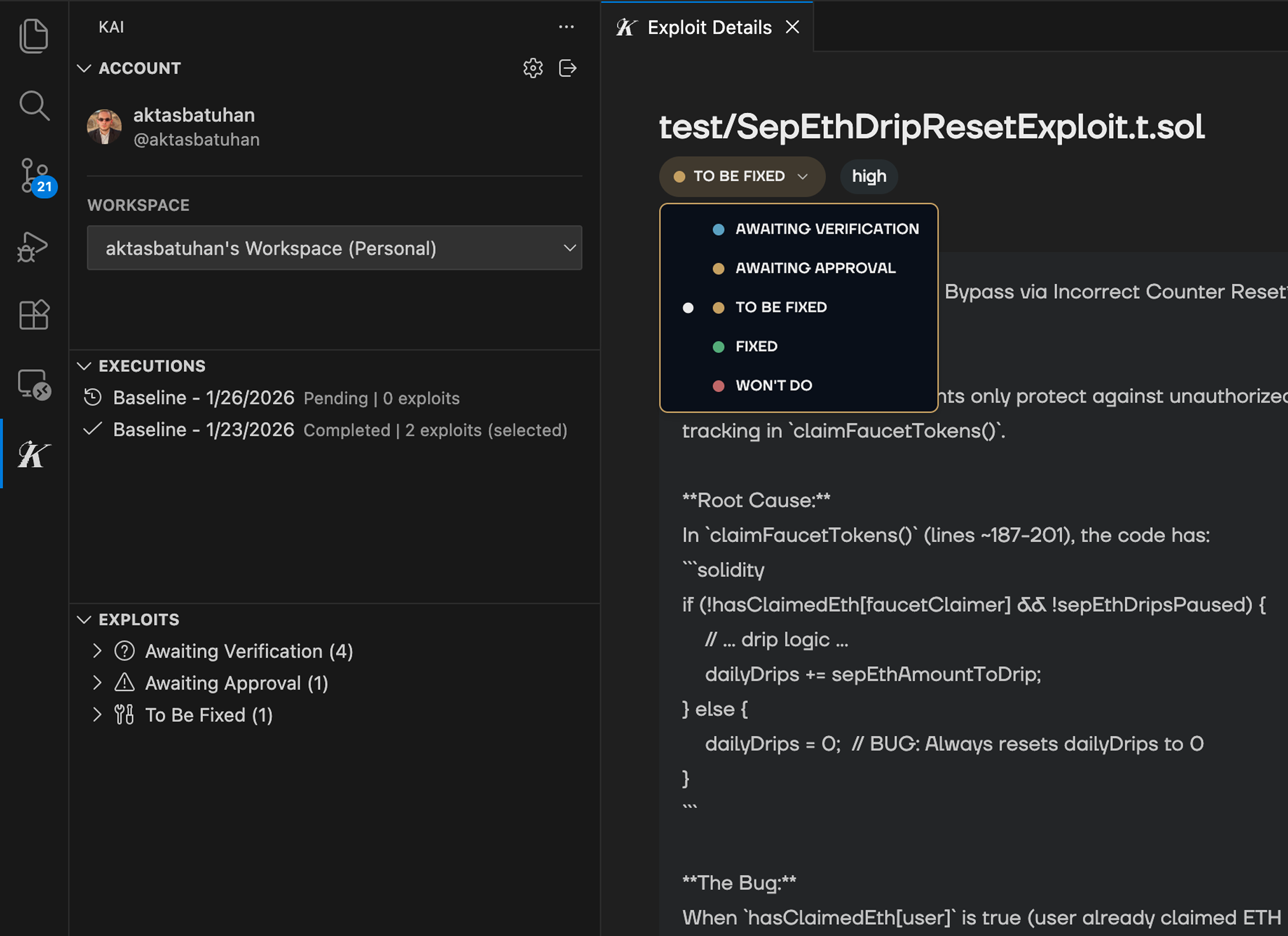
Card Information
Each vulnerability card shows:- Title: Brief description of the vulnerability
- Severity Badge: Color-coded priority level
- File Location: Where the vulnerability was found
- Category Tag: Type of security issue