
Scan Modes

Choose the right analysis depth for your project. Kai offers three scan modes that balance time and thoroughness to match your specific needs.
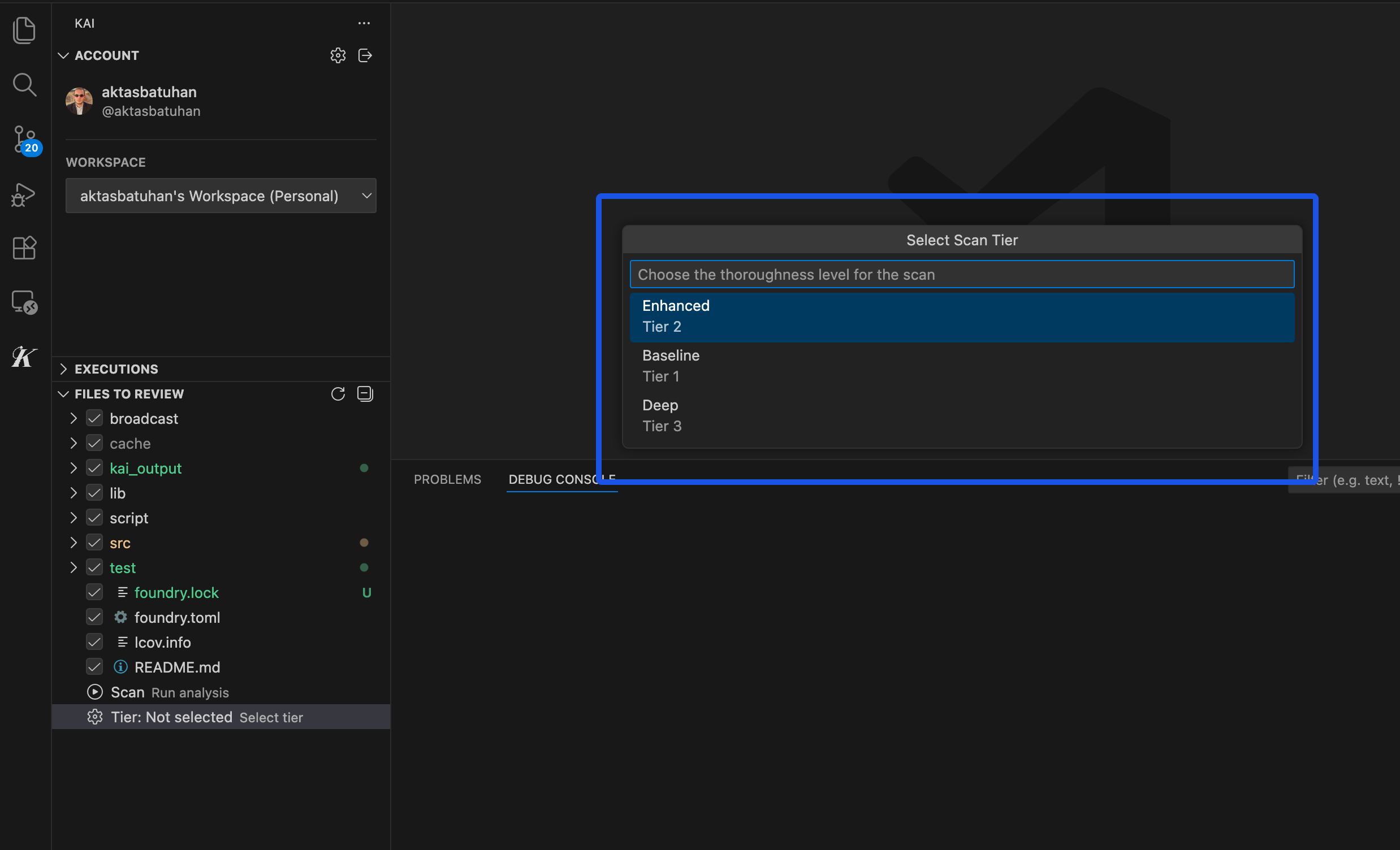
Scan mode selection in Kai

The Three Modes

ModeDurationBest ForTypical Findings
πŸ”₯ Baseline~2 hoursQuick feedback, prototypes, rapid iteration3-8 vulnerabilities
🎯 Enhanced~4 hoursProduction code, regular reviews (recommended)8-20 vulnerabilities
πŸ” Full~8 hoursCritical systems, pre-production audits15-35 vulnerabilities

Baseline Mode - Quick Analysis

Baseline mode provides rapid security feedback for time-sensitive projects. It focuses on high-confidence vulnerabilities with straightforward exploit patterns like obvious SQL injection, clear authentication bypasses, and standard input validation issues. Use Baseline for: Rapid prototyping, initial code reviews, quick security checks, and when you need results quickly for development iteration. Limitations: May miss subtle logic flaws, complex attack chains, and sophisticated business logic vulnerabilities that require deeper analysis. Enhanced mode offers comprehensive analysis suitable for most production applications. It provides thorough vulnerability coverage including complex authentication flaws, multi-step attack sequences, business logic vulnerabilities, race conditions, and advanced injection techniques. Use Enhanced for: Production applications, regular security reviews, team workflows, business-critical systems, and pre-deployment scanning. This mode balances security coverage with reasonable time investment. Coverage: Finds both obvious vulnerabilities and sophisticated issues that require understanding application context and business logic.

Full Mode - Deep Analysis

Full mode provides maximum thoroughness for critical systems requiring comprehensive security assurance. It performs exhaustive analysis including subtle timing vulnerabilities, complex multi-transaction attack patterns, advanced privilege escalation chains, and sophisticated business logic exploits. Use Full for: Critical infrastructure, financial protocols, pre-production audits, compliance requirements, and high-value systems likely to be targeted by sophisticated attackers. Thoroughness: Explores edge cases, advanced attack scenarios, and complex vulnerability combinations that other modes might miss.

Choosing the Right Mode

Consider your timeline and risk tolerance. If you need results today, use Baseline. For most production code, Enhanced provides the best balance. For critical systems where security is paramount, use Full mode. The analysis quality is consistent across all modes - Full mode doesn’t find β€œbetter” vulnerabilities, it finds more vulnerabilities through deeper analysis. Every reported vulnerability includes working exploit code regardless of the scan mode used. Most teams use Enhanced mode for regular development and Full mode for important releases or high-risk systems. Baseline mode works well for quick security checks and rapid iteration cycles. Ready to learn about managing your scan results? Check out Managing Vulnerabilities to handle your results effectively.