Security Reports
Generate comprehensive security audit reports from your completed scans. Reports provide a detailed summary of findings, severity breakdown, and remediation guidance — ready to share with stakeholders or use for compliance documentation.
Generating a Report
After a scan completes, you can generate a full security report from the web dashboard.
- Navigate to your repository in the web dashboard
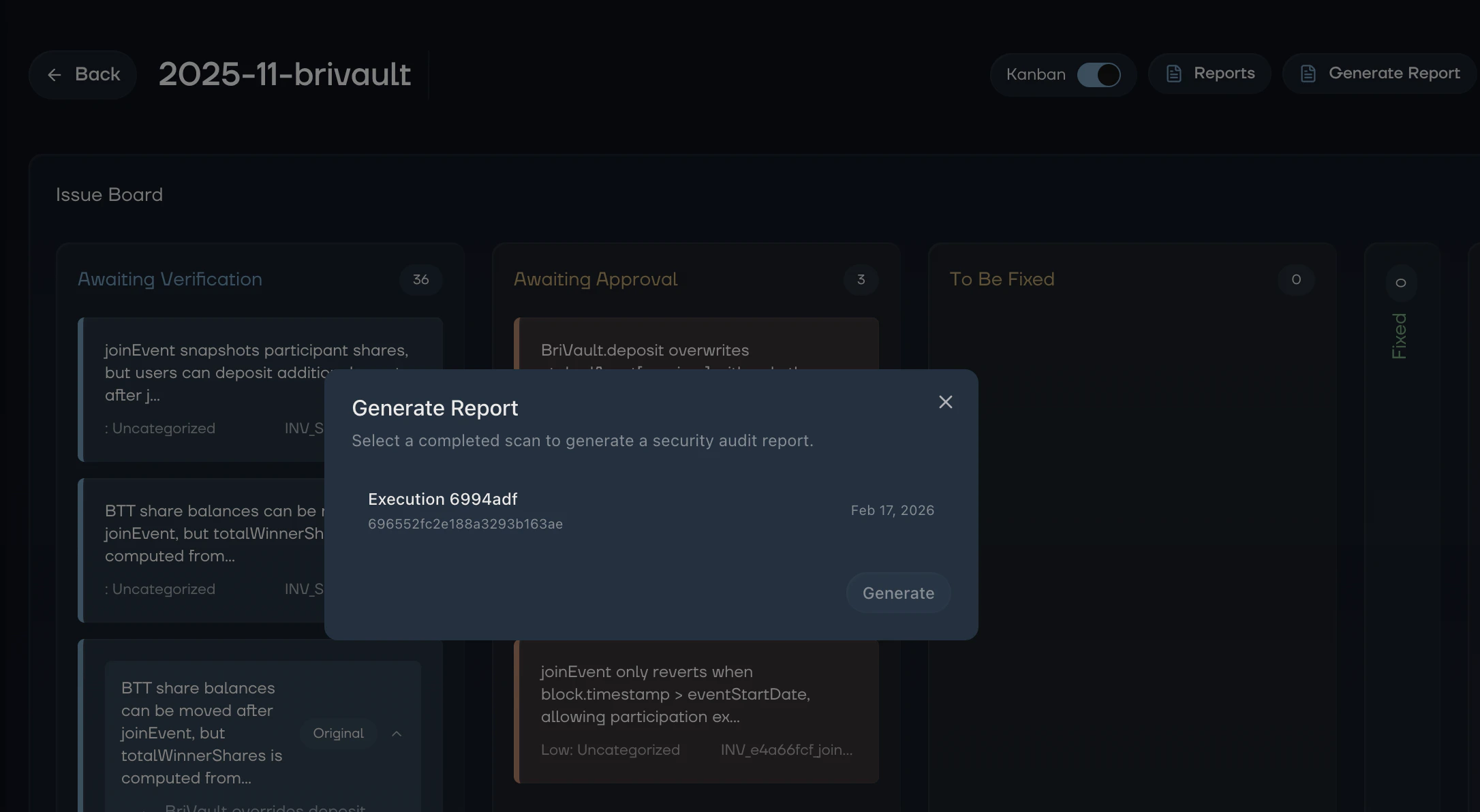
- Click Generate Report in the repository header
- Select the completed execution you want to generate a report for
- Click Generate and Kai compiles the findings into a structured report
Report generation takes a few minutes. Kai analyzes all findings from the scan and produces a detailed narrative report. You can close the dialog and come back — the report will be ready when generation completes.
Viewing Reports
Once generated, reports are available from the repository page:
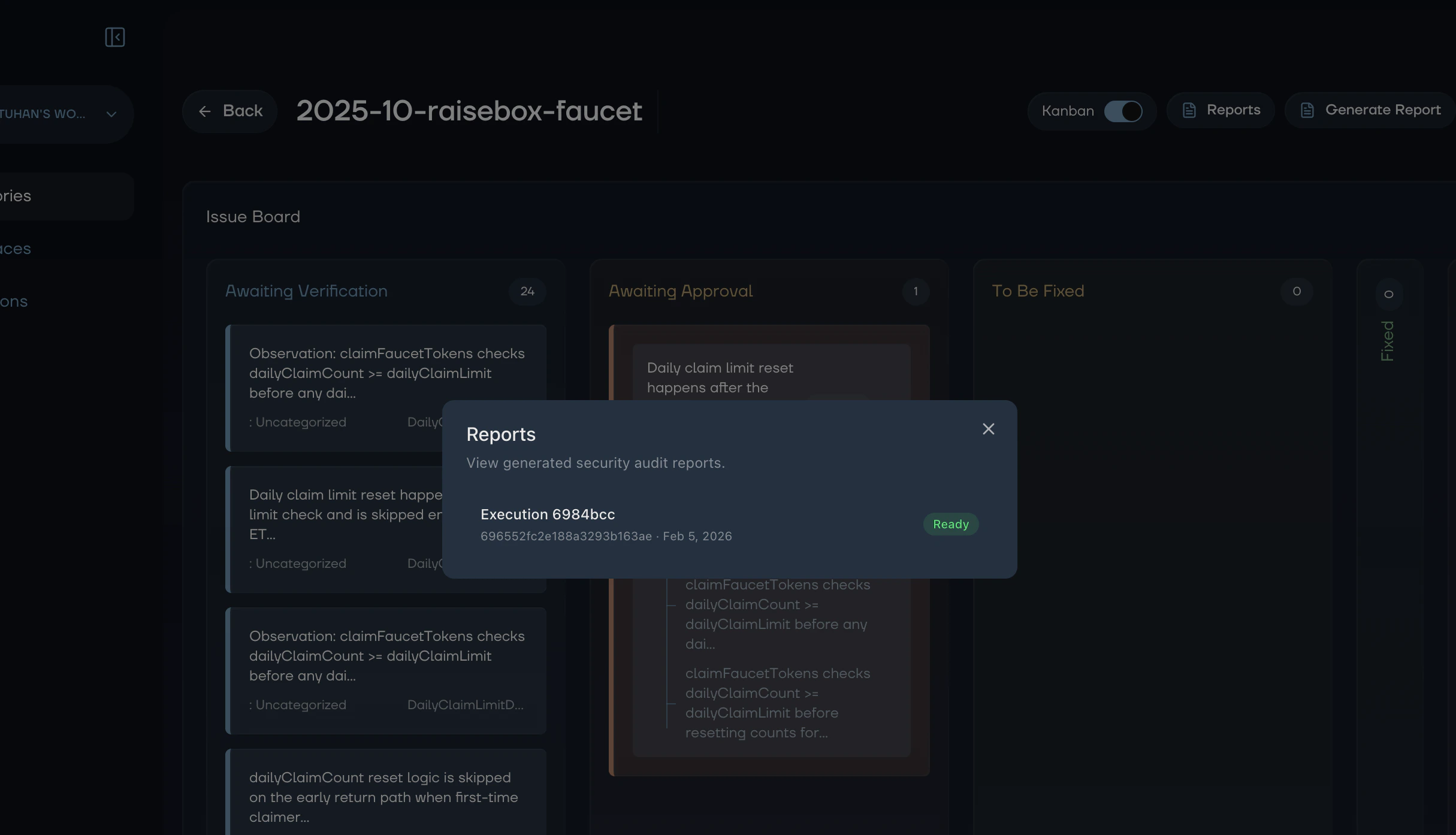
- Click Reports in the repository header
- Select the report you want to view
- The full report opens in a dedicated view
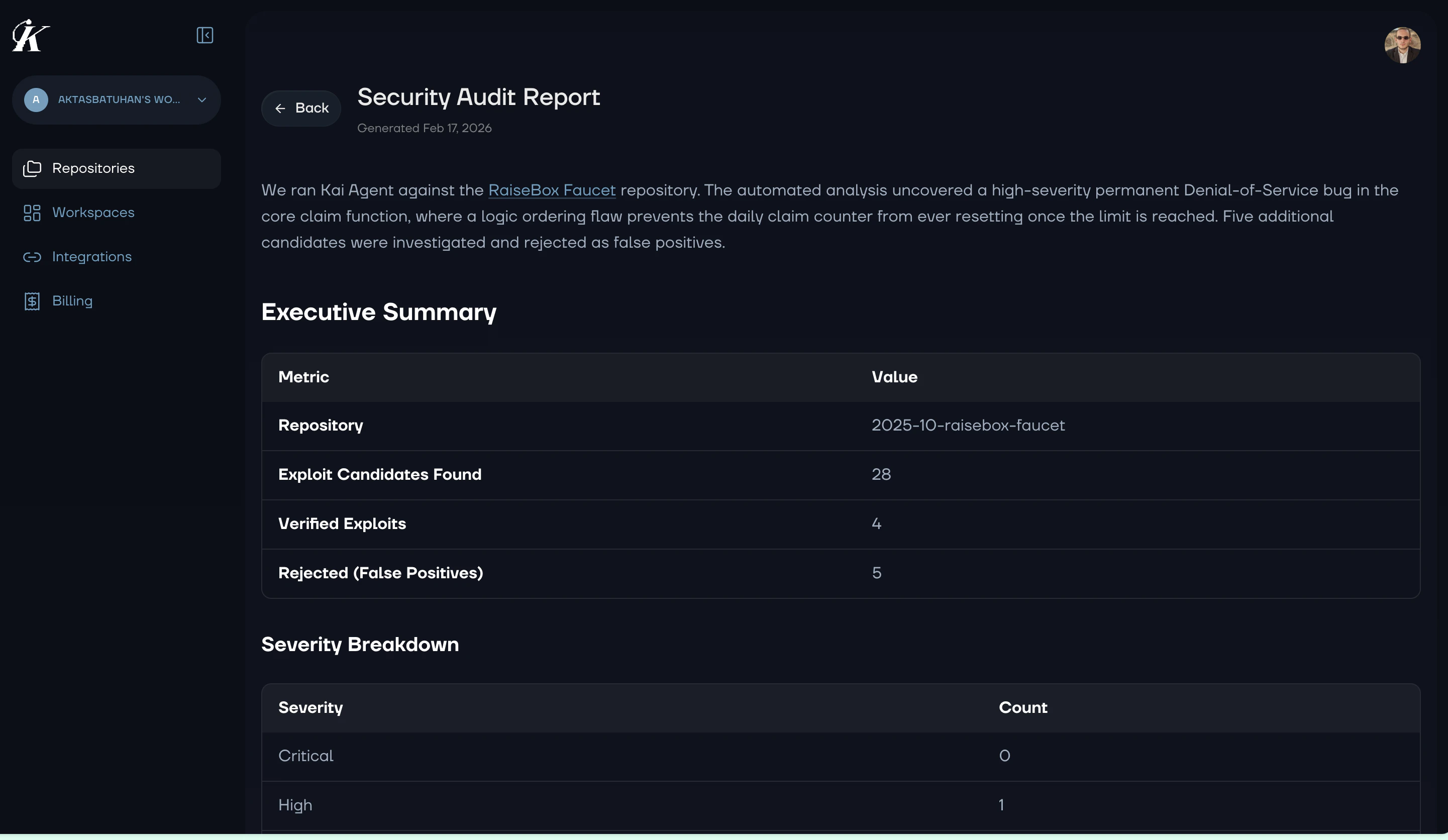
Reports are rendered as formatted markdown with clear sections, severity breakdowns, and actionable recommendations.
What’s in a Report
Each report includes:
Executive Summary
A high-level overview of the scan results, including total vulnerabilities found, severity distribution, and overall risk assessment.
Findings Detail
Each vulnerability is documented with:
- Severity and category classification
- Description of the security issue
- Attack vector explaining how the vulnerability could be exploited
- Affected code with file locations
- Remediation guidance with specific fix suggestions
Severity Breakdown
A summary of findings organized by severity level (Critical, High, Medium, Low), helping you prioritize remediation efforts.
Recommendations
Actionable next steps for improving your codebase’s security posture based on the patterns found during analysis.
Use Cases
Stakeholder Communication
Share reports with non-technical stakeholders to communicate security status. The executive summary provides a clear picture without requiring deep technical knowledge.
Compliance Documentation
Use reports as evidence of security reviews for compliance requirements. Each report includes a complete audit trail of discovered and verified vulnerabilities.
Team Handoff
Share reports with development teams to coordinate remediation. The detailed findings and fix suggestions give developers everything they need to resolve issues.
Next Steps