
Understanding Your Scan Results
Learn how to read, interpret, and prioritize Kai’s vulnerability findings. Every finding comes with proof-of-concept code that demonstrates the security issue is real.Results Overview
Accessing Results
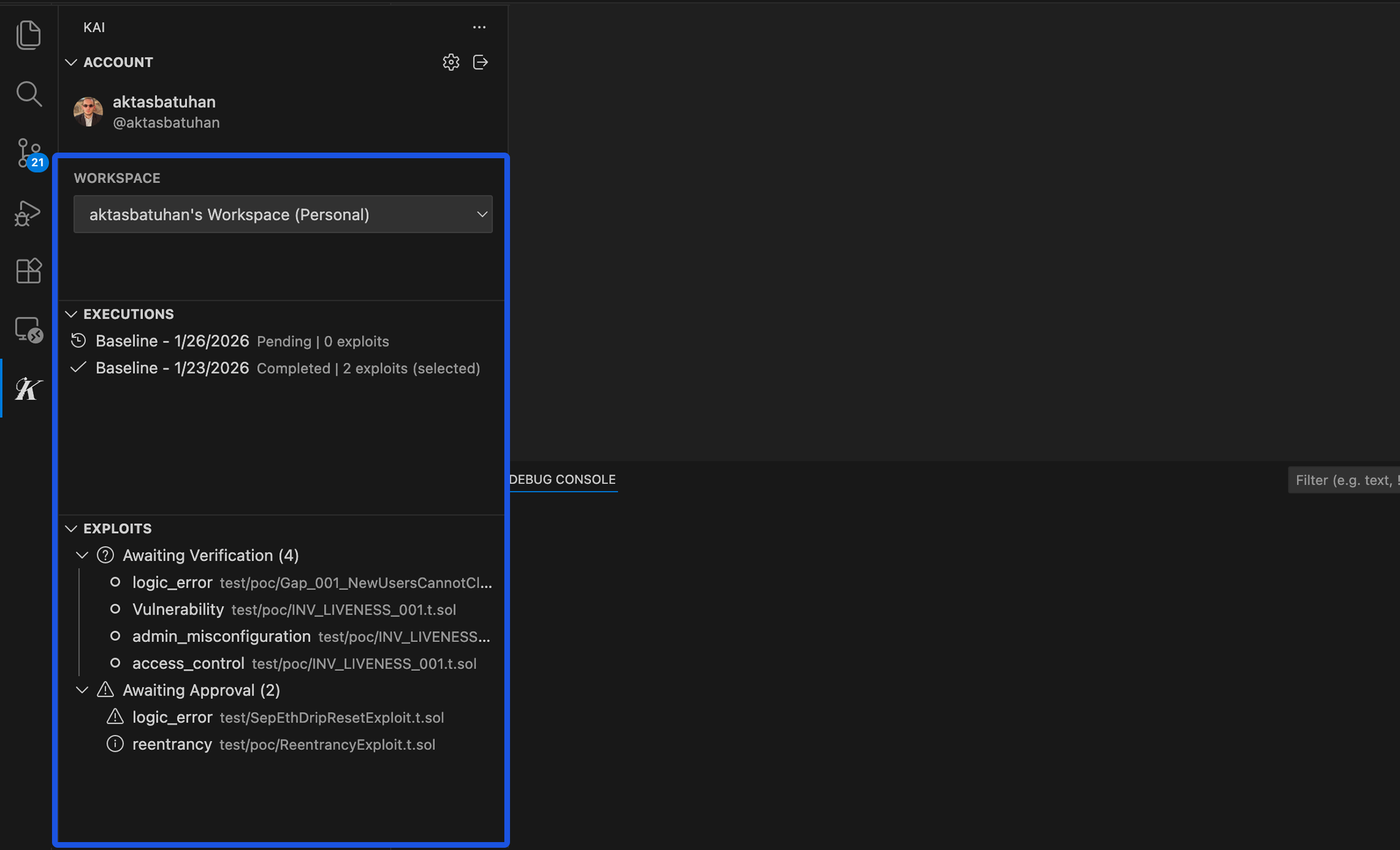
After your scan completes:- Go to the Scan Results panel in the Kai extension
- Select your completed execution from the Executions panel
- Results load automatically in the webview
Results Dashboard
The main results view shows:- Vulnerability Summary: Total findings by severity
- Kanban Board: Workflow status of each finding
- Analytics: Scan metrics and performance data
Understanding Severity Levels
Kai assigns severity based on exploitability, impact, and context. Unlike static analysis tools that rely on patterns, Kai’s severity comes from actually executing attacks.🔴 Critical Severity
Definition: Immediate, high-impact security risks requiring urgent attention Common examples:- Remote code execution (RCE)
- Authentication bypass allowing admin access
- SQL injection with data extraction
- Privilege escalation vulnerabilities
- Financial logic that allows theft/manipulation
🟠 High Severity
Definition: Significant vulnerabilities with clear attack paths and substantial impact Common examples:- Cross-site scripting (XSS) with session theft
- Authorization bypasses accessing sensitive data
- Insecure direct object references
- Cryptographic vulnerabilities
- Race conditions in critical paths
🟡 Medium Severity
Definition: Important security issues that should be addressed but don’t pose immediate critical risk Common examples:- Information disclosure vulnerabilities
- Denial of service (DoS) attacks
- Input validation bypasses
- Weak access controls
- Logic flaws with limited impact
🟢 Low Severity
Definition: Security improvements and best practices that strengthen overall security posture Common examples:- Missing security headers
- Weak password requirements
- Information leakage in error messages
- Missing input sanitization
- Insecure default configurations
Anatomy of a Vulnerability Report
Each finding contains several sections designed to help you understand and fix the issue.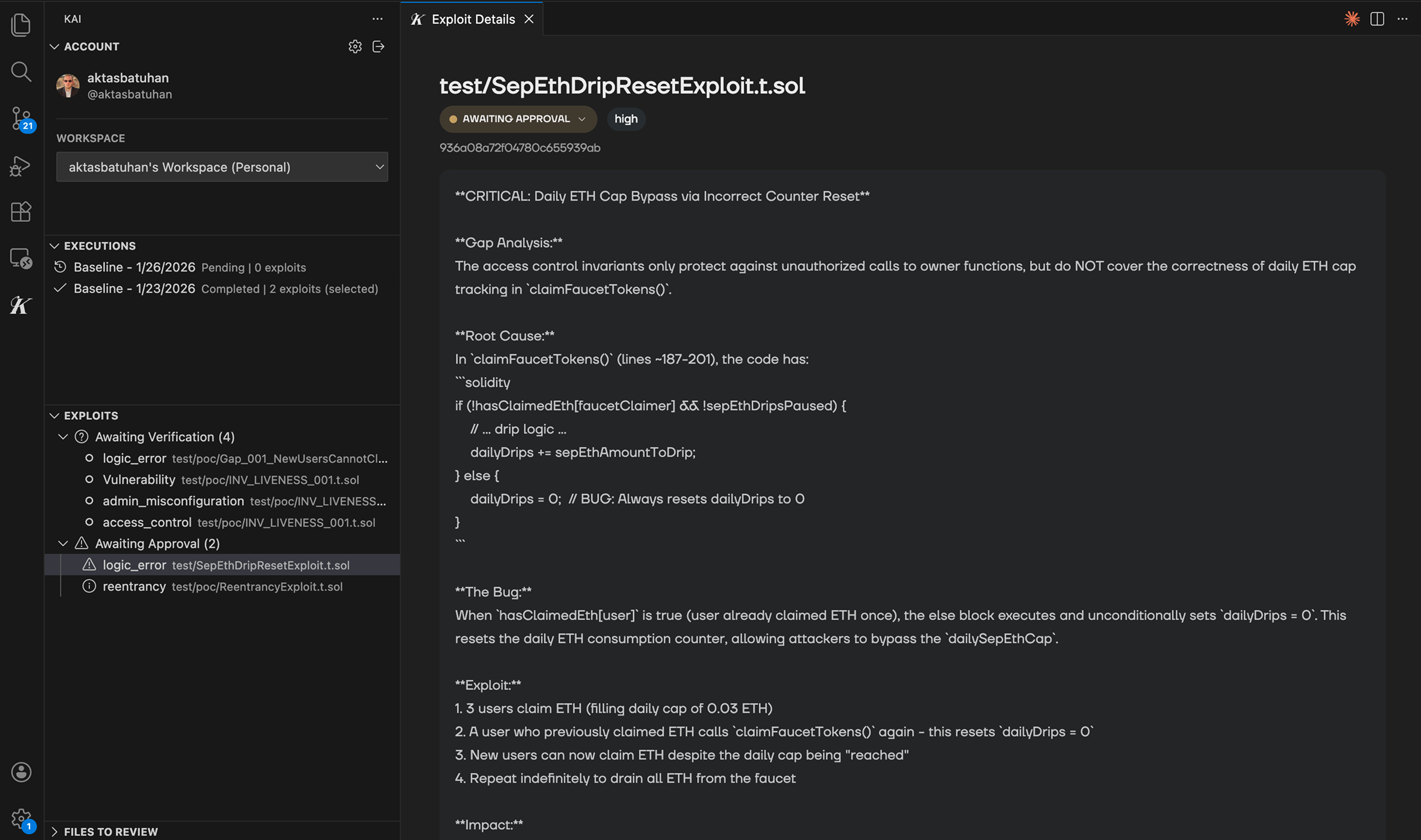
1. Vulnerability Summary
Title: Descriptive name of the vulnerability Severity Badge: Color-coded severity level File Location: Specific file and line numbers affected Category: Type of vulnerability (e.g., “Authentication Bypass”, “SQL Injection”)2. Description & Impact
What’s Wrong: Plain-English explanation of the security flaw Attack Scenario: How an attacker would exploit this vulnerability Business Impact: What could happen to your application or users Technical Details: Code-level explanation of the issue Example:What’s Wrong: The login function doesn’t properly validate user sessions, allowing attackers to bypass authentication. Attack Scenario: An attacker can modify their session token to access any user’s account without knowing their password. Business Impact: Complete compromise of user accounts, data theft, unauthorized transactions.
3. Proof of Concept (PoC)
This is what makes Kai unique - every vulnerability includes working exploit code. The Code: Complete, executable proof that demonstrates the vulnerability Syntax Highlighting: Easy-to-read formatted code Comments: Explanations of what each part does Test Results: Output showing the exploit succeeded Example PoC structure:4. Suggested Fix
The Solution: Specific code changes to address the vulnerability Unified Diff: Before/after comparison showing exact changes Explanation: Why this fix solves the security issue Testing Notes: How to verify the fix works Example fix:5. Remediation Guidance
Fix Priority: Recommended timeline for addressing this issue Prevention: How to avoid similar vulnerabilities in the future Testing: Steps to verify your fix is effective Related Issues: Links to similar findings in your codebaseVerification Status
Every finding shows its verification status:✅ Verified
- Exploit compiled successfully
- Proof-of-concept executed and demonstrated the vulnerability
- Impact confirmed through testing
- Trust Level: High - this is definitely a real security issue
⚠️ Unverified
- Potential vulnerability identified
- Exploit code didn’t compile or execute successfully
- May require specific conditions to reproduce
- Trust Level: Medium - investigate further
Common Vulnerability Categories
Authentication & Authorization
- Session management flaws
- Password reset vulnerabilities
- Access control bypasses
- JWT token manipulation
Input Validation
- SQL injection
- Cross-site scripting (XSS)
- Command injection
- Path traversal
Business Logic
- Race conditions
- State management issues
- Workflow bypasses
- Economic logic flaws
Cryptography
- Weak encryption algorithms
- Insecure key management
- Certificate validation bypass
- Random number generation flaws
Configuration & Deployment
- Default credentials
- Exposed debug endpoints
- Missing security headers
- Insecure file permissions